When Automation Breaks: Rebuilding from the Foundation Up
Type
Autmation Suite
Year
2025
Services
UX-research, Usability testing, Prototyping, Cross-functional collaboration, Iterative design,
Design file
The Problem
Managing IT equipment across a growing global workforce is one of those things that works fine when a company is small. But as headcount grows and operations spread across regions, the manual work starts to compound. Someone has to trigger every device order when a new hire joins. Someone has to chase down equipment when people leave. Someone has to notice when warehouse stock is running low and act on it before orders start failing.
At Workwize, we saw this pattern across our client base. The platform was already handling procurement and logistics, but the triggers were somewhat still human. That meant delays, missed steps and a growing operational load on IT teams who had more important things to focus on.
The Automation Suite was our answer to that. Three features built around the same idea: the routine parts of the IT lifecycle should run themselves.
My Role
This was one of the more complex features I worked on at Workwize, not just because of the technical scope but because of how much the direction changed along the way. I owned the design end-to-end, from the initial research phase through to the final shipped product, working closely with engineering, product and other designers throughout.
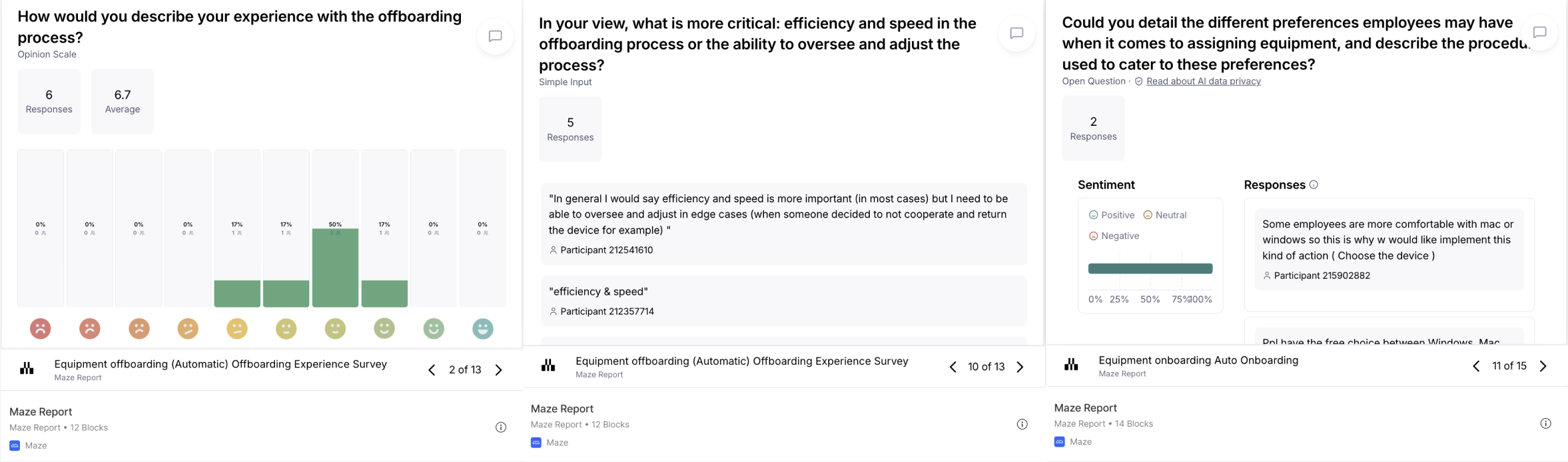
The starting point was understanding whether clients actually wanted automation. That sounds obvious but the answer genuinely wasn't clear. So before any design work started, I ran research sessions with IT managers across our client base to find out how they thought about handing control to the platform. This was done through remote usability tests, interviews and prototype validations with both IT managers and the broader stakeholders they worked with.
The Plot Twist
The research gave us a clear enough direction to start building. But midway through, we ran into a problem that had nothing to do with the automation logic itself.
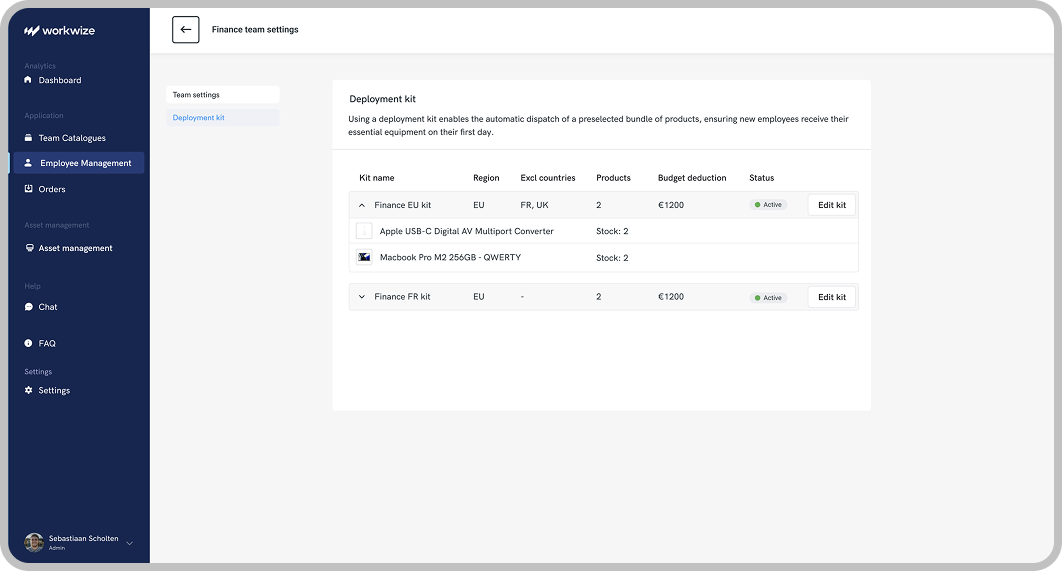
The original setup asked IT managers to build their automation rules by selecting specific laptop models per supplier and per region. In practice, nobody could make it work. The same laptop existed under five different names across five different suppliers, with inconsistent attributes and specs throughout. The configuration experience was confusing and impossible to maintain.
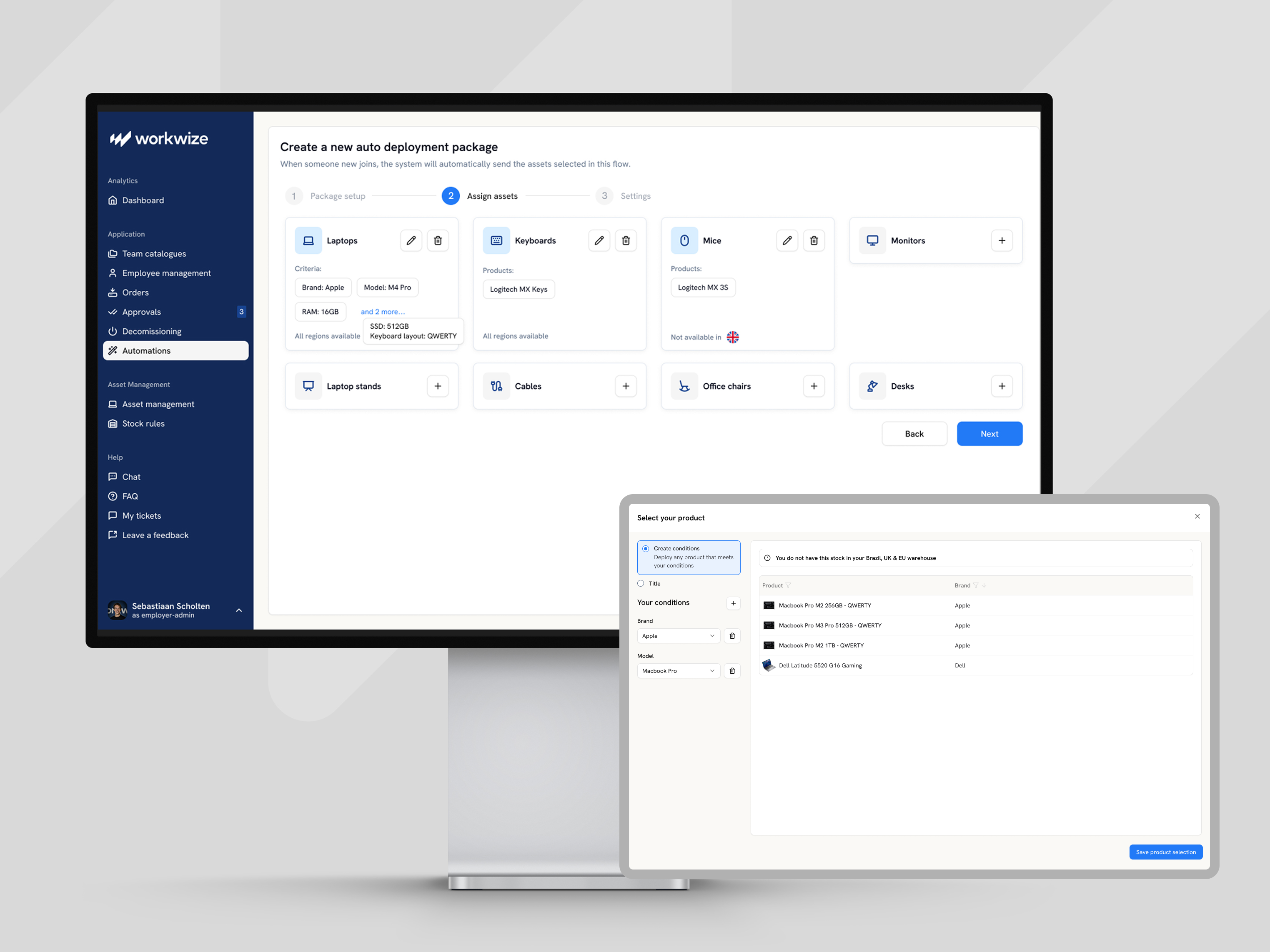
We had to step back. The fix came from work we were doing in parallel on Default Products, a backend restructure that created one canonical product record per device, mapped across all supplier variants. Once that was in place, the automation configuration became simple. Instead of selecting specific models, IT managers could define a package by operating system, RAM and storage. The platform took care of the rest.

What I Designed
Three automation flows sharing the same configuration layer, each targeting a different part of the IT lifecycle.
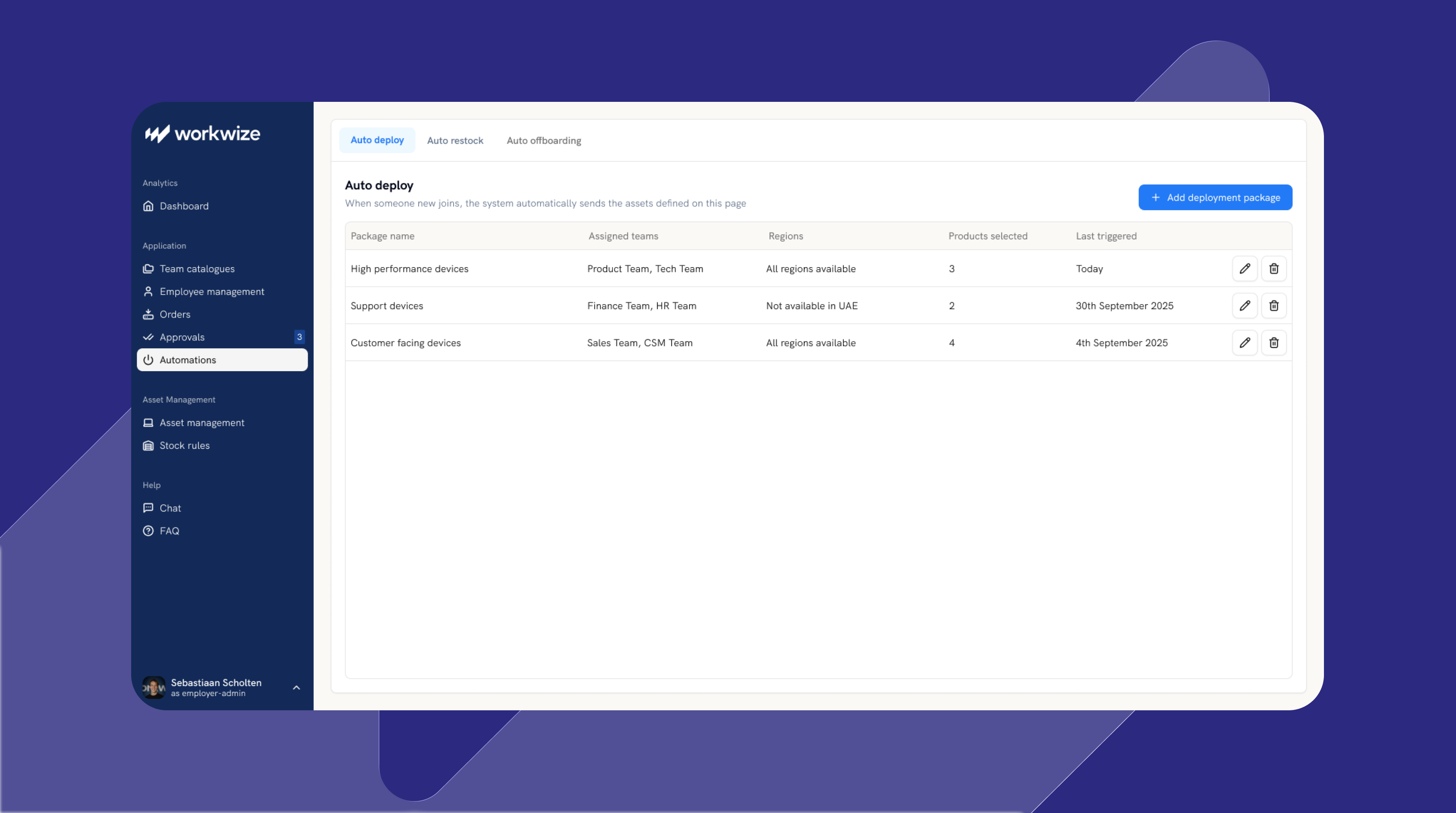
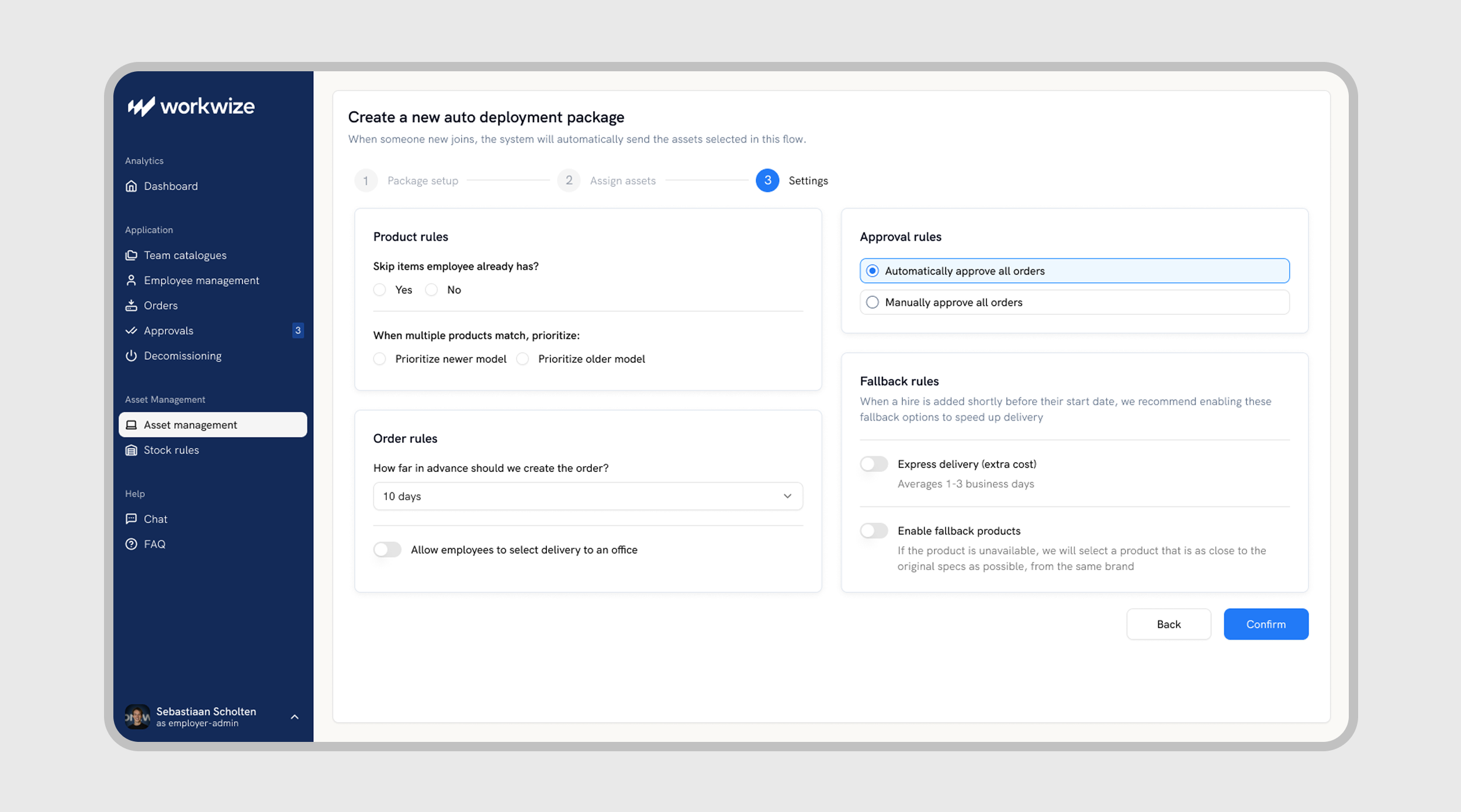
Auto Deploy connects to the client's HR system and triggers a device order automatically when a new employee is added. The right package gets ordered and provisioned based on the employee's team and region, without anyone having to initiate it.
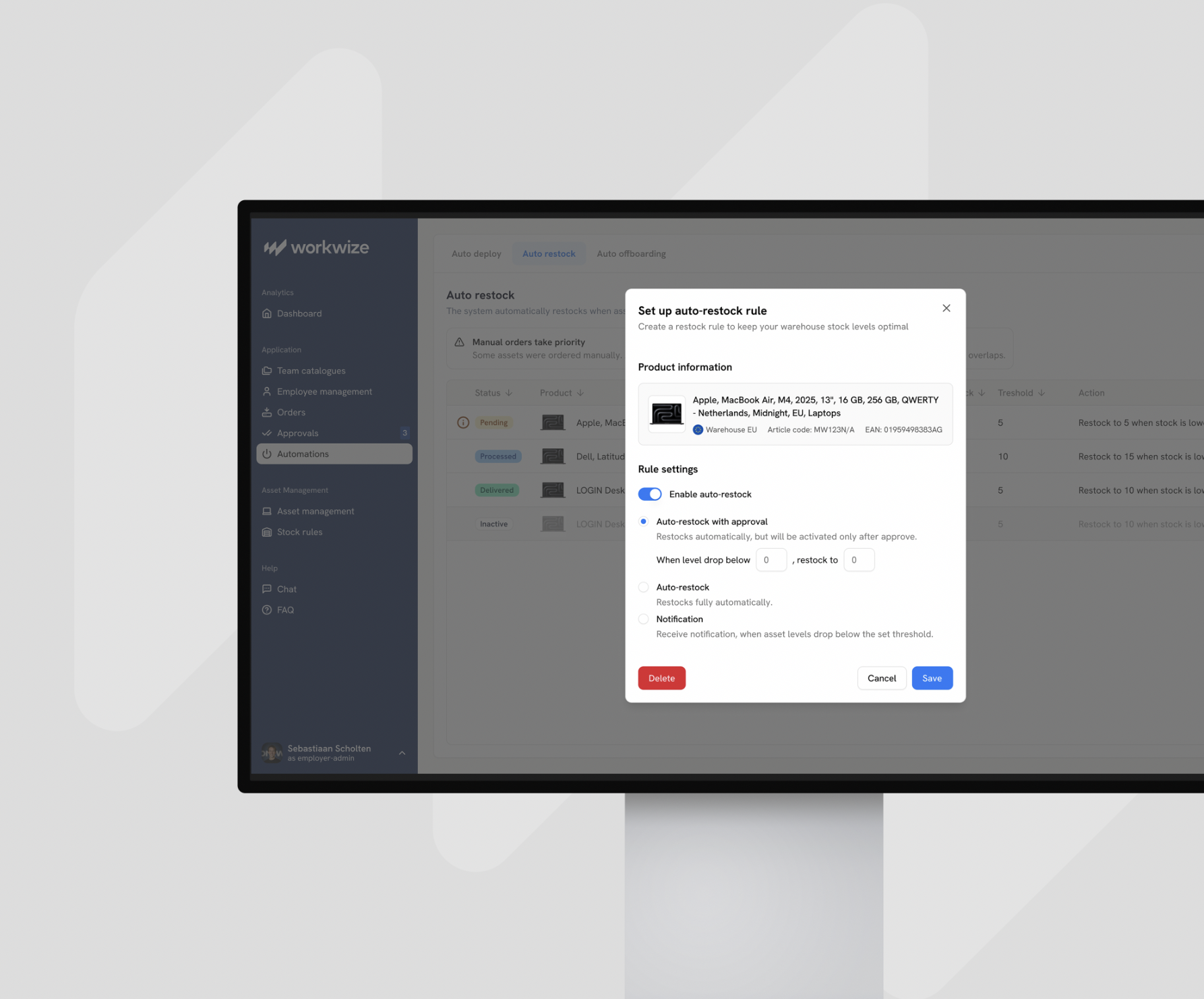
Auto Restock monitors warehouse stock levels per region and triggers a replenishment order when inventory drops below a defined threshold. One of the core challenges with Auto Deploy was that we couldn't guarantee delivery times on direct supplier orders, too many variables. The solution was to make sure devices were always pre-stocked in Workwize's regional warehouses. That way, when a new employee joined, the device was already there and delivery times were predictable. It also aligned with a clear business goal: clients pay for warehousing, so encouraging pre-stocking generated more revenue as clients pay per storage usage. Clients got reliability, Workwize grew its warehousing revenue.
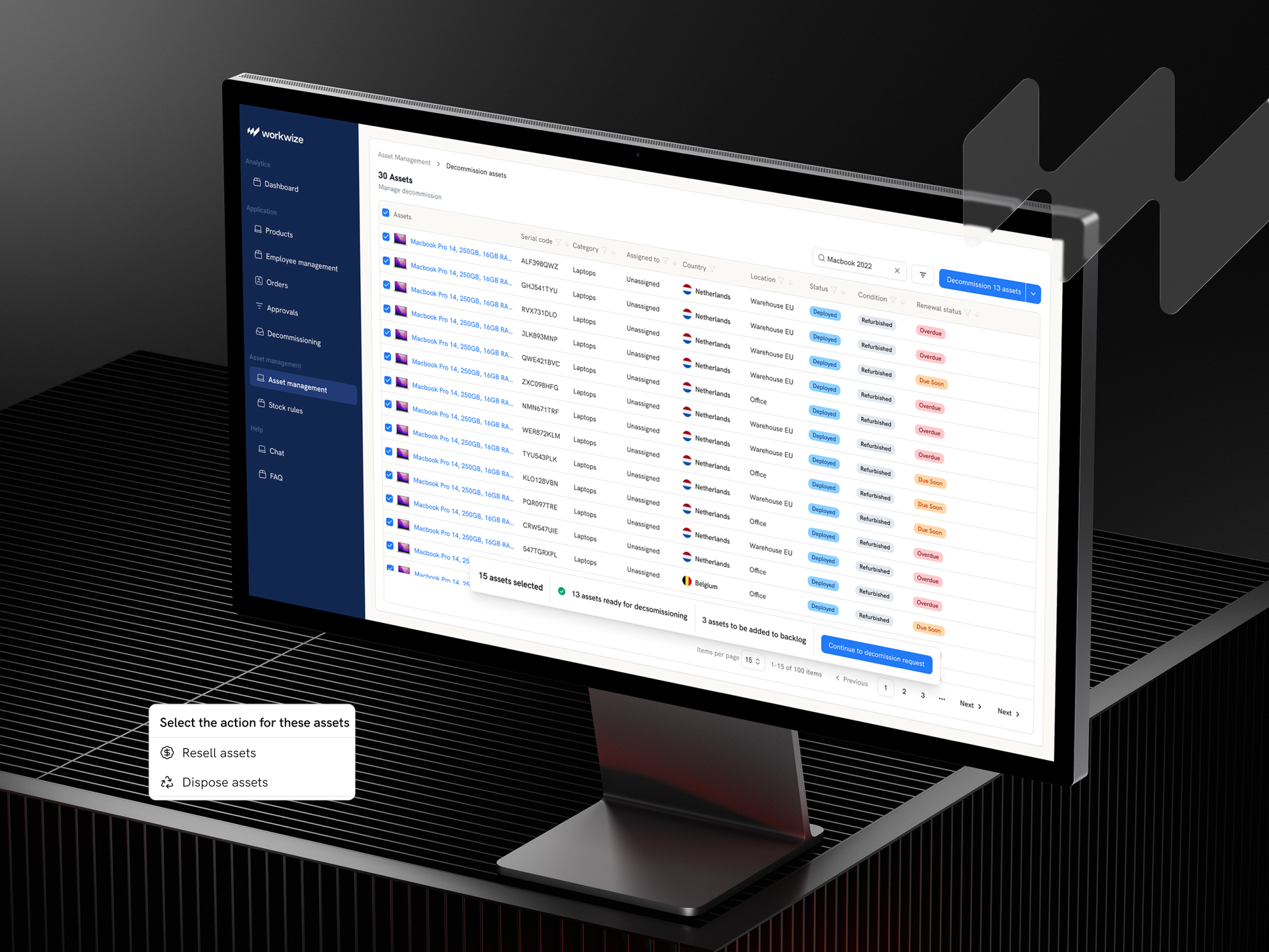
Auto Offboarding initiates the collection and return process automatically when an employee is marked as leaving, keeping asset tracking accurate without manual intervention.
Each flow could be configured independently, and all three shared the same three-level control setting so clients could choose how much they wanted to automate.
The Impact
The three most repetitive parts of the IT lifecycle, onboarding, restocking and offboarding, went from tasks that needed someone to initiate them to processes that ran in the background. For IT teams managing hundreds of employees across multiple regions, that shift was significant.
What made the end result better than the original plan was the research. The mixed response we got early on pushed us toward a more flexible design, one that gave cautious clients the guardrails they needed without limiting the value for clients who were ready to go fully hands-off. The tension between those two groups produced a better product than either extreme would have.

Results
The Automation Suite removed the most repetitive work from the IT lifecycle. Onboarding, restocking and offboarding went from tasks that needed someone to initiate them to processes that ran on their own. For IT teams managing people across multiple regions, that shift mattered. And because the design gave clients control over how much they automated, adoption was strong across the board — from teams who wanted full hands-off automation to those who simply wanted a better way to manage approvals.